
Wan 2.7: Alibaba's New Video Model with First-Frame Control and 15-Second Clips
Wan 2.7 brings first/last frame control, multi-reference video input, and instruction-based editing to Alibaba's open-source video lineup. Here's what changed from Wan 2.6.
TL;DR — 5 things to know
- ✅ First/last frame control (FLF2V) — set the opening and closing frame, Wan 2.7 fills the motion between them
- ✅ Up to 5 reference video inputs — feed multiple reference clips to guide character, environment, and motion style
- ✅ Up to 15-second clips — 3× longer than earlier Wan models
- ✅ Instruction-based video editing — change backgrounds, lighting, or style via natural language
- ❌ No 4K native output — max resolution is 1080P; open-source release status not confirmed at launch
Key Takeaway
Wan 2.7 is best for workflows that need precise compositional control — first/last frame anchoring, multi-reference consistency, or post-generation editing without full regeneration. These are capabilities that most other video models at this tier do not offer.
- Use Wan 2.7 if: you need to define exact start and end frames (FLF2V), maintain character consistency across shots using multiple reference videos, or edit generated clips via natural language instruction
- Consider alternatives if: you need native audio in the output (Veo 3.1 Lite or PixVerse V6), parameterized camera controls (PixVerse V6), or confirmed open-source self-hosting today (Wan 2.1/2.6)
What Can Wan 2.7 Do That Other AI Video Generators Can't?
Wan 2.7 is currently the only major AI video model with first/last frame control (FLF2V) — you set both the opening and closing frame, and the model generates the motion between them. It also accepts up to 5 reference videos simultaneously for character consistency, and supports instruction-based editing of existing clips without full regeneration. Neither capability exists in Veo 3.1 Lite, PixVerse V6, or Kling 3.0.
What Is Wan 2.7?
Wan 2.7 is the latest video generation model from Alibaba's Tongyi Lab. It was made available in March 2026 via the WaveSpeedAI API (wavespeed.ai) and through Alibaba Cloud's DashScope platform, with an official GitHub release pending.
Wan is Alibaba's flagship open-source video generation family. Wan 2.1 shipped under Apache 2.0 and attracted substantial developer adoption. Wan 2.7 is the most capable version to date, adding a set of professional-grade controls that earlier releases lacked.
The model is built on a Diffusion Transformer + Flow Matching architecture — estimated at around 27 billion parameters. This puts it in the same architectural class as the current generation of high-performing video models, using latent flow matching rather than older DDPM-style diffusion for faster, more stable generation.
What Changed from Wan 2.6
Wan 2.7 is not a minor patch. Here is the practical feature delta:
| Feature | Wan 2.6 | Wan 2.7 |
|---|---|---|
| Text-to-video | ✅ | ✅ |
| Image-to-video | ✅ | ✅ |
| First/last frame control (FLF2V) | ❌ | ✅ |
| Multi-reference video input | ❌ | ✅ (up to 5) |
| 9-grid image input | ❌ | ✅ |
| Instruction-based video editing | ❌ | ✅ |
| Multi-language lip sync | ❌ | ✅ |
| Maximum clip duration | ~5s | 15s |
| Maximum resolution | 1080P | 1080P |
The additions are substantial. First/last frame control, multi-reference input, and instruction editing are all professional workflow capabilities that were missing from Wan 2.6.
Key New Features in Detail
First / Last Frame Control (FLF2V)
FLF2V lets you define both the first and last frame of a video, then have Wan 2.7 generate the motion between them. This is a meaningful control surface for commercial work — you can set a specific starting composition, specify where the shot ends up, and let the model handle the camera and subject movement in between.
Use cases:
- Product shots where you need the item to start centered and end at a specific angle
- Character animations where the pose changes need to be exact at both ends
- Cinematic transitions between two established compositions
Multi-Reference Video Input
Wan 2.7 accepts up to 5 reference videos simultaneously. The model reads them to inform character consistency, environment style, and motion patterns in the generated clip. This is more sophisticated than single-image reference and addresses one of the persistent complaints about video generation: characters that don't hold consistent appearance across shots.
For commercial use, this means you can provide examples of how a product moves, how a person looks, or what environment style you want — and the model applies that context to new generations.
9-Grid Image Input
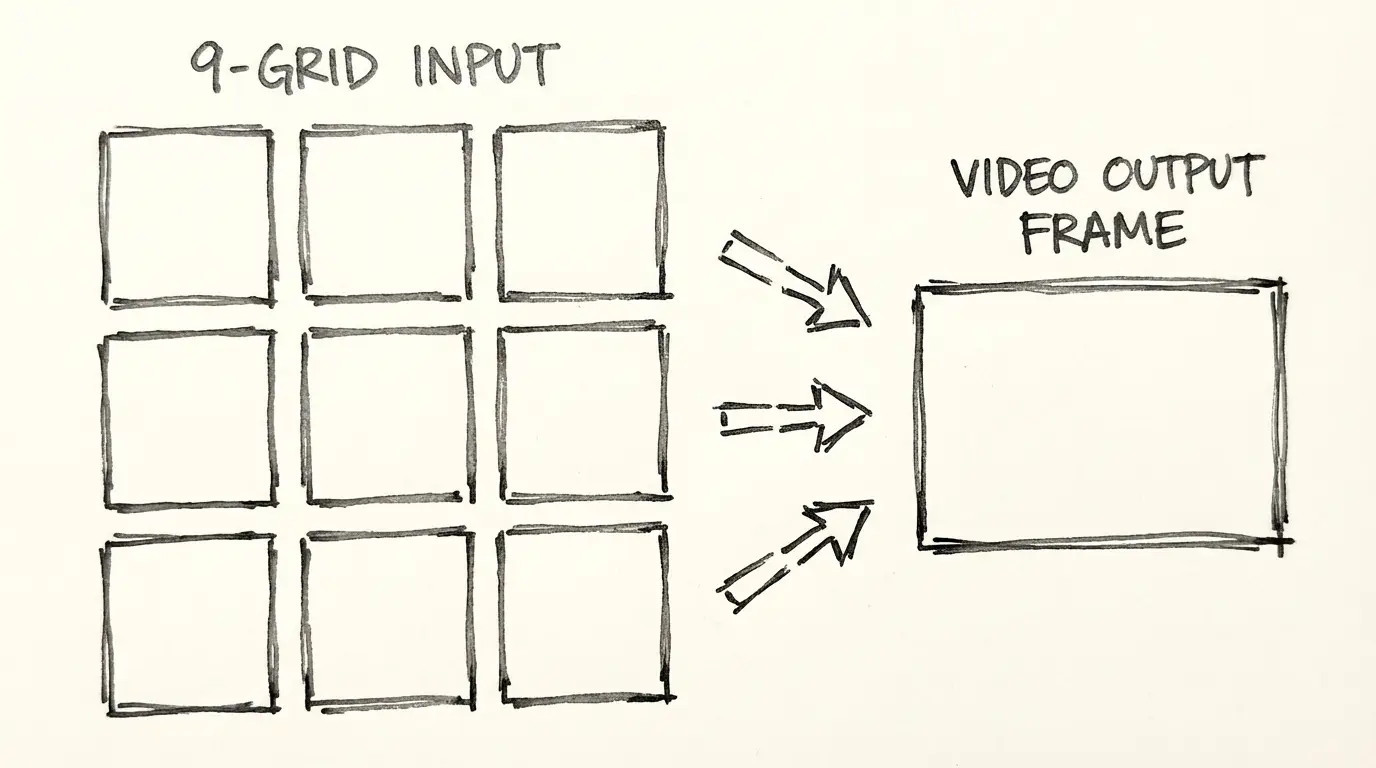
The 9-grid input accepts a 3×3 arrangement of images as a single input. The model reads all nine frames to understand context, character, or environment from multiple angles. This is particularly useful for character consistency work where a single reference image doesn't capture enough detail.
Instruction-Based Video Editing
Rather than regenerating from scratch, Wan 2.7 accepts natural language instructions to modify an existing video. You can describe what you want changed — background color, lighting mood, subject clothing, or visual style — and the model applies the edit while preserving the original motion.
This reduces the iteration cost significantly for commercial video production, where small adjustments to an approved motion are common.
Multi-Language Lip Sync
Wan 2.7 adds multi-language lip sync support, meaning generated character speech animations can be synchronized with audio in different languages. This is a meaningful feature for localization workflows.
Technical Specifications
| Specification | Wan 2.7 |
|---|---|
| Architecture | Diffusion Transformer + Flow Matching |
| Parameters | ~27B (estimated) |
| Resolutions | 480P, 720P, 1080P |
| Durations | 2–15 seconds |
| Aspect ratios | 16:9, 9:16, 1:1 |
| Modes | T2V, I2V, FLF2V, instruction editing |
| API access | WaveSpeedAI, Alibaba Cloud DashScope |
| Open source | Planned Apache 2.0 (status pending at launch) |
| Processing time | ~30 seconds to 2 minutes for a 5-second 1080P clip |
Known Limitations
No model is perfect. Here is what Wan 2.7 does not do:
- No 4K native output. The maximum resolution is 1080P. If you need 4K for digital signage, cinema pre-viz, or large-screen display, you will need to use a different model or upscale in post.
- Open-source release not confirmed at launch. Wan 2.1 was fully open source under Apache 2.0. Wan 2.7's open-source release status had not been officially announced at the time of writing — check the Alibaba Wan GitHub for the latest.
- No official pricing published. API pricing on WaveSpeedAI and DashScope should be verified at those platforms. The reference point is Wan 2.6 API rates, but Wan 2.7 pricing may differ.
- New model, limited community testing. Wan 2.7 is recent. The wider community testing that exists for older models is still accumulating.
How to Use Wan 2.7
Option 1: Use NanoBanana (no API setup required)
Go to the Wan 2.7 video generator on NanoBanana. Write a prompt, select duration and aspect ratio, and generate. No API key or DashScope account required.
Option 2: WaveSpeedAI API
Create an account at wavespeed.ai. Wan 2.7 is available as an API endpoint. Send a POST request with your prompt, mode (T2V or I2V), duration (2–15s), resolution (480P, 720P, 1080P), and aspect ratio.
Option 3: Alibaba Cloud DashScope
If you already use Alibaba Cloud services, Wan 2.7 is accessible through the DashScope API. Use the DashScope console to generate API keys and reference the Wan 2.7 model ID in your requests.
Related Reading
- Wan 2.7 vs Wan 2.6 — Full breakdown of what changed between versions
- PixVerse V6 — If you need parameterized camera controls or a multi-shot engine
- Veo 3.1 Lite — If native audio generation is a priority over compositional control
FAQ
How Wan 2.7 Compares
| Feature | Wan 2.7 | Veo 3.1 Lite | PixVerse V6 | Kling 3.0 |
|---|---|---|---|---|
| First / last frame control | ✅ | ❌ | ❌ | ❌ |
| Multi-reference video (up to 5) | ✅ | ❌ | ❌ | ❌ |
| Instruction-based editing | ✅ | ❌ | ❌ | ❌ |
| Native audio | ❌ | ✅ | ✅ | ❌ |
| Max clip duration | 15s | 8s | 15s | 10s |
| Native resolution | 1080p | 720p / 1080p | 1080p | 1080p |
| Parameterized camera controls | ❌ | ❌ | ✅ 20+ | Limited |
| Multi-shot engine | ❌ | ❌ | ✅ | ❌ |
| T2V + I2V | ✅ | ✅ | ✅ | ✅ |
| Open source | Planned | ❌ | ❌ | ❌ |
| Best for | FLF2V, multi-reference, editing | Budget audio generation | Camera control, multi-shot | Cinematic quality |
Wan 2.7 uniquely offers first/last frame control and instruction-based editing — both absent from the other models in this comparison. If either capability is relevant to your workflow, Wan 2.7 is currently the only option that provides them. For audio-included output, Veo 3.1 Lite and PixVerse V6 are the better choices.
Try Wan 2.7 Now
→ Generate with Wan 2.7 — text-to-video and image-to-video, no API setup required.
Disclosure
Model facts and feature descriptions are sourced from Alibaba Tongyi Lab's official release materials for Wan 2.7 (March 2026) and the WaveSpeedAI API documentation. Open-source release status and official pricing were pending confirmation at time of publication — verify both at the official Alibaba Wan GitHub and wavespeed.ai respectively.
Author

More Posts

Veo 3.1 Lite Prompt Guide: 20+ Ready-to-Use Prompts for Cinematic AI Video
Learn exactly how to prompt Veo 3.1 Lite for cinematic results. Covers shot types, camera movement, audio, and 20+ copy-paste prompts across genres — no fluff.

PixVerse V6: Cinema Camera Controls, Native Audio, and 15-Second Clips
PixVerse launched V6 on March 30, 2026 — 20+ cinema camera controls, native audio sync, multi-shot engine, and 1080p native output up to 15 seconds. Here's what changed and whether it fits your workflow.

Veo 3.1 Lite Image-to-Video: Turn Product Photos Into Clips in Under a Minute
How to use Veo 3.1 Lite's image-to-video mode to create product demos, social media content, and brand videos from still photos — with real examples and workflow tips.